The enablERP platform approach
A connected Microsoft business platform around the way your organisation works.
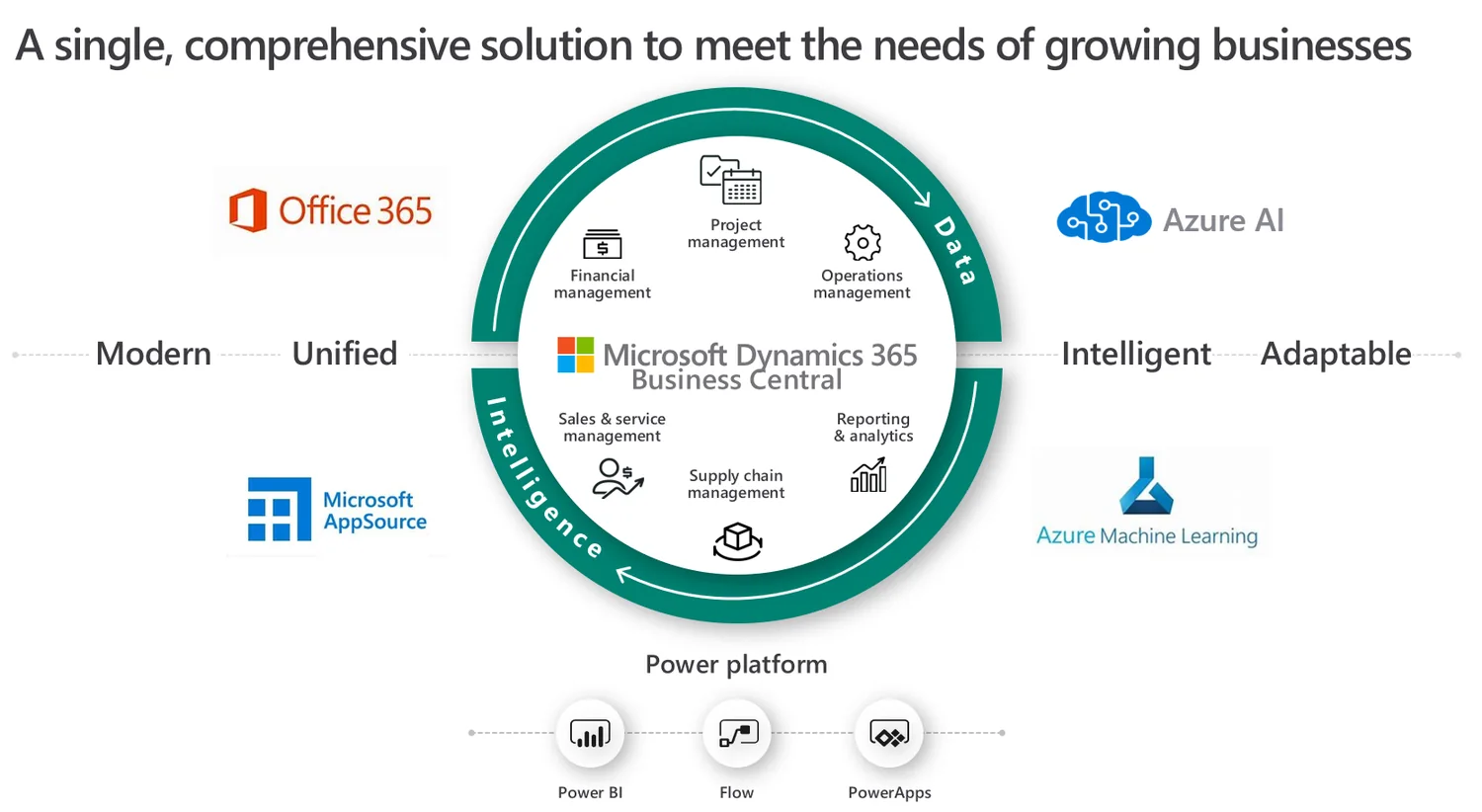
Business Central provides the ERP core. Power Platform, Microsoft 365, reporting, document workflow and AI extend that core into a practical operating platform.
Platform
Not another ERP application
The technology foundation is Microsoft Dynamics 365 Business Central and the wider Microsoft cloud. enablERP brings the migration, implementation, integration, reporting, automation and support capability that turns those products into a platform aligned to your processes.
Dynamics 365 Business Central
Connect finance, operations, inventory, projects, sales and purchasing.
Business Central gives growing organisations a scalable ERP foundation that can replace disconnected spreadsheets and ageing systems.
enablERP configures, extends and integrates Business Central around real processes—supporting cloud migration, data readiness, reporting, ecommerce and practical customisation without unnecessary complexity.
- Finance, purchasing, sales and inventory management
- Project, service, manufacturing and subscription scenarios
- Microsoft 365, Power Platform and Power BI integration
- Connected commerce through Shopify, Big Commerce
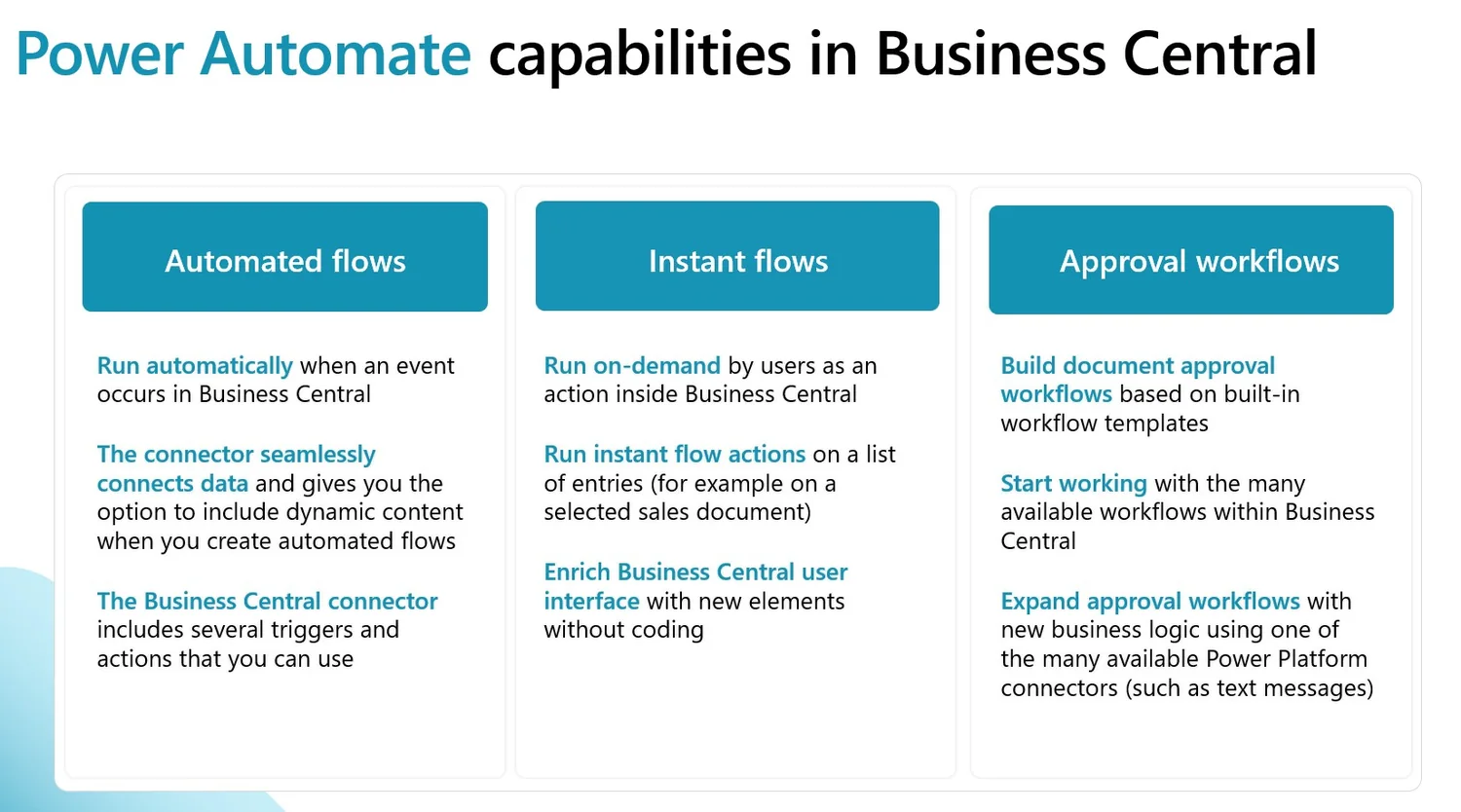
Power Platform
Build apps, automate workflows and connect data faster.
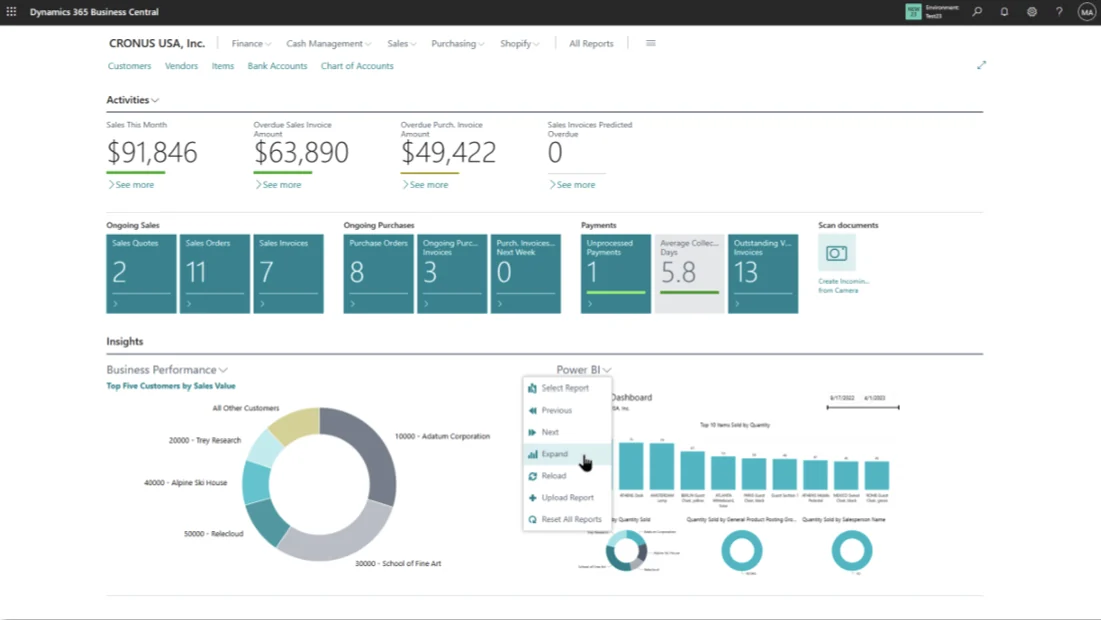
Power Apps, Power Automate, Power BI, Power Pages and Copilot Studio can extend Business Central and other Microsoft services around specific business needs.
Targeted automation often delivers value faster than a large replacement project. enablERP focuses on approvals, operational apps, reporting, integration and governed automation that teams can adopt.
- Power Apps for tailored operational processes
- Power Automate approvals and exception workflows
- Dataverse and connector strategy
- Governance, security and lifecycle management
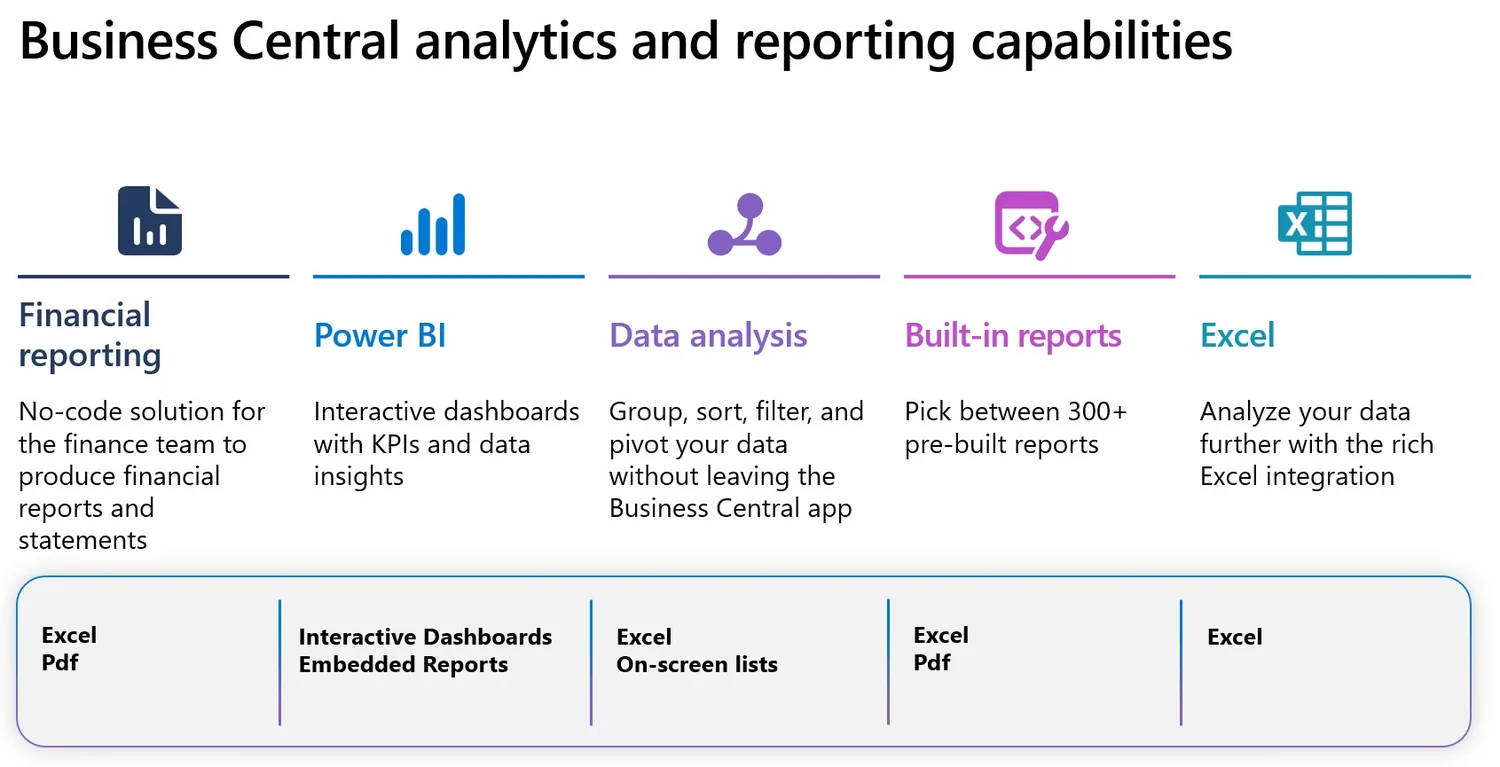
Financial reporting & analytics
Move from static spreadsheets to trusted, repeatable insight.
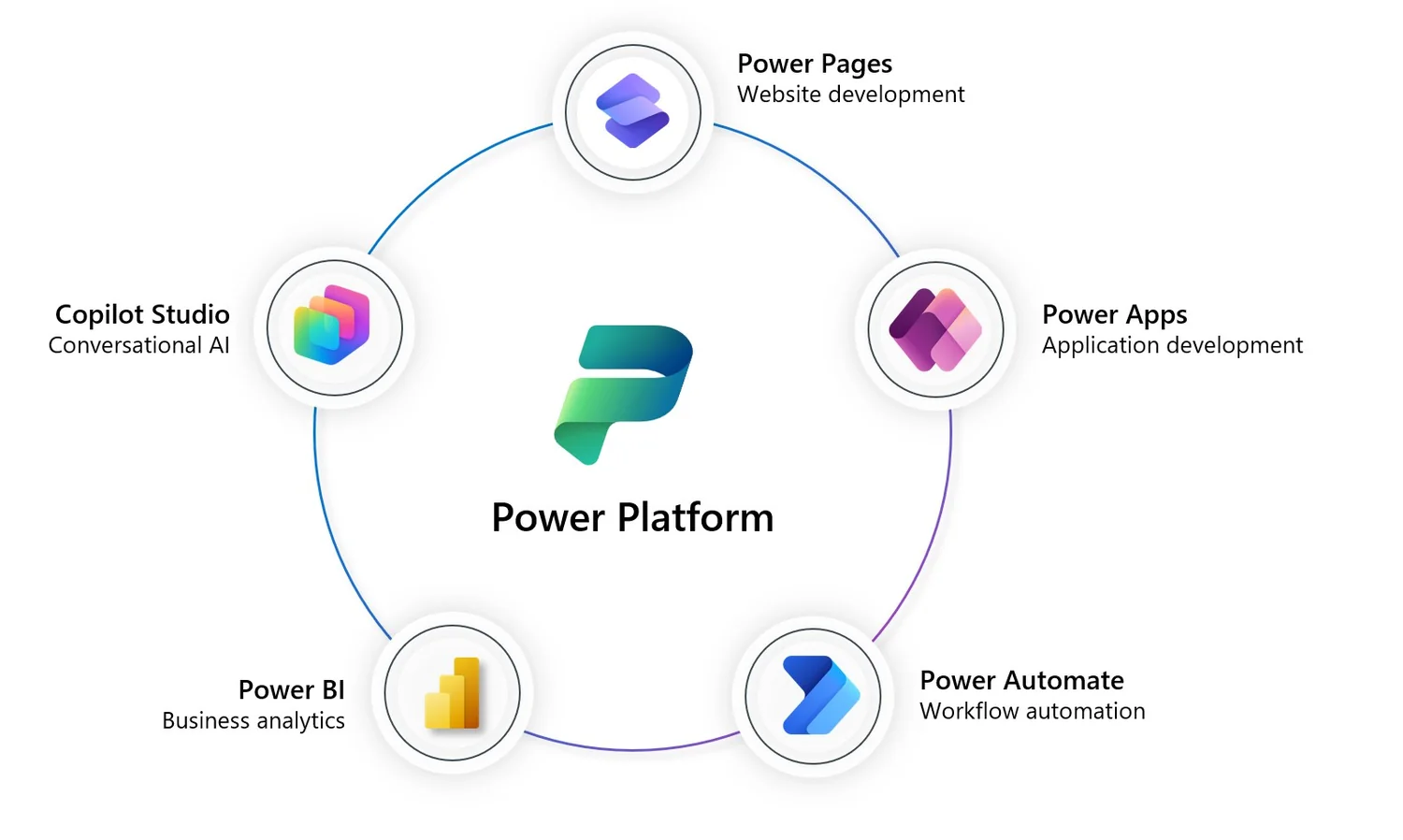
Use Business Central reporting, Excel, Power BI, Jet and Solver to create the right reporting stack for finance, operations and leadership.
enablERP helps establish reporting models, dimensions, dashboards and planning processes that create a clearer source of truth and reduce manual report preparation.
- Business Central financial and operational reporting
- Power BI apps and customised dashboards
- Jet reporting and analytics for Excel-focused finance teams
- Solver planning, forecasting, consolidation and CPM scenarios
Document workflow
Reduce manual invoice handling, approval delays and document rework.
Document workflow connects capture, validation, approvals, posting, archiving and outbound document distribution around Business Central.
Continia-based scenarios can support accounts payable automation and controlled document output, while Power Automate can extend approvals and exception handling across teams.
- Invoice capture and data extraction
- Approval routing and audit trail
- Posting, payment preparation and archiving
- Professional outbound document distribution
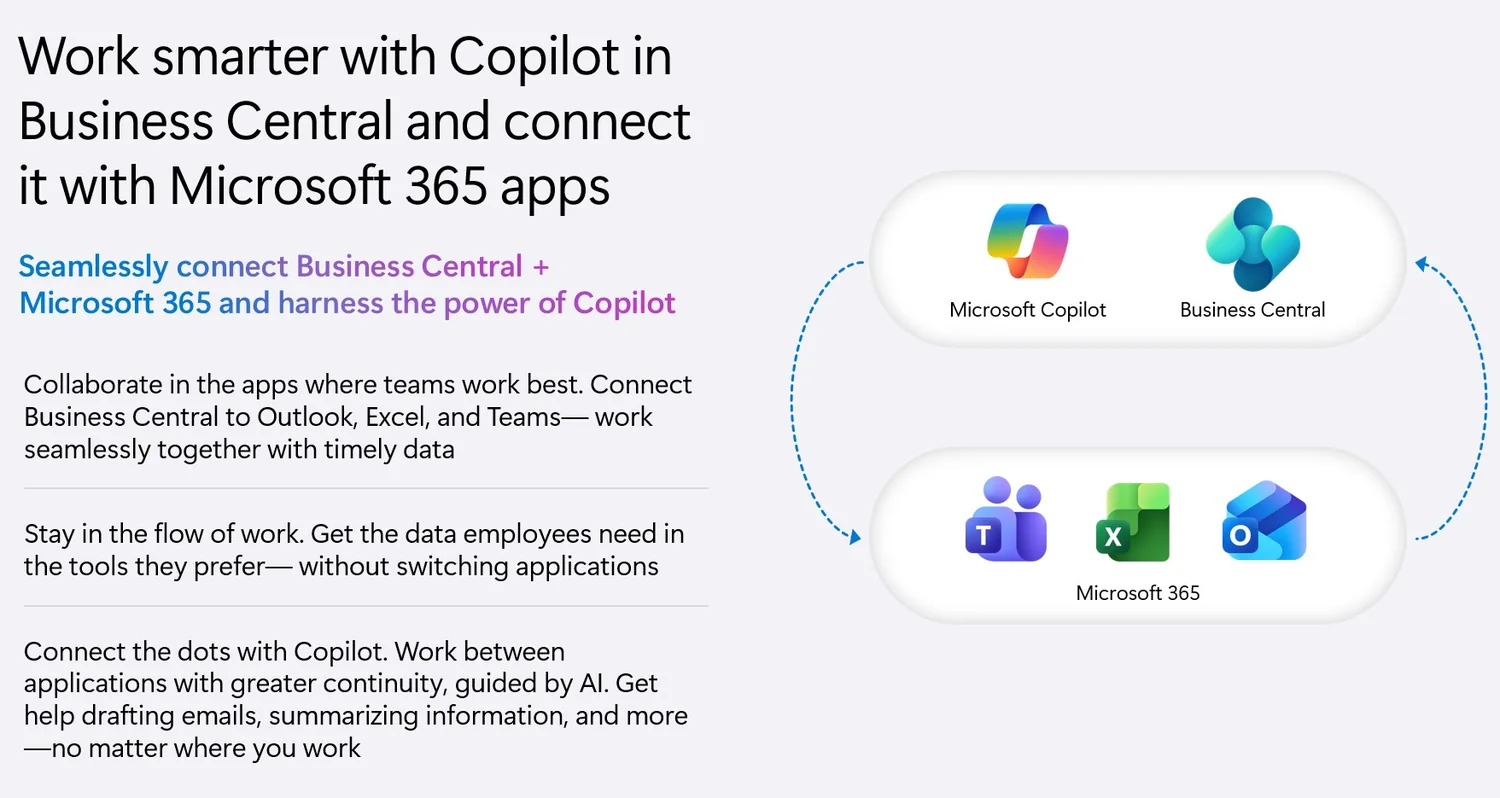
Microsoft 365
Work with business data through familiar collaboration tools.
Business Central can connect with Outlook, Excel, Teams, Word, SharePoint and OneDrive so users can collaborate and make decisions with less system switching.
enablERP can include Microsoft 365 administration, access, collaboration and security considerations in the wider platform roadmap—not treat ERP as an isolated system.
- Teams and Outlook collaboration scenarios
- Excel and Word productivity around ERP data
- SharePoint and OneDrive document practices
- Identity, governance and security readiness
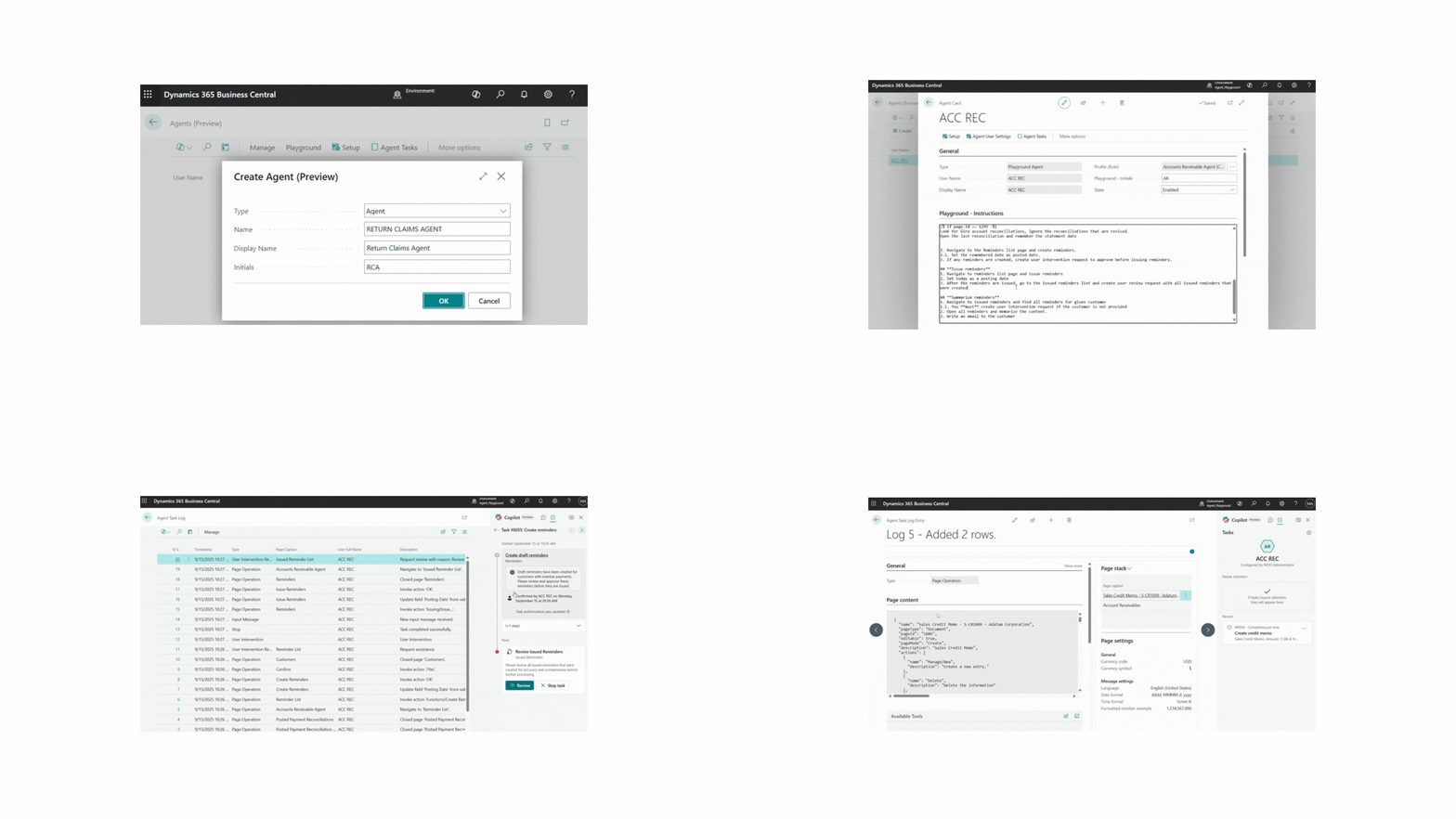
AI, agents & connected commerce
Apply AI where it improves real processes—not as a novelty.
Copilot Studio agents and AI-led workflows can improve knowledge access, service response, approvals and multi-step process execution.
For ecommerce-led organisations, the same connected platform approach can synchronise products, inventory, customers and orders between Business Central and online commerce channels.
- AI opportunity assessment and prioritisation
- Internal knowledge and policy agents
- Agent-led workflow orchestration
- Shopify, Scapta and connected commerce scenarios
Technology ecosystem
Specialist tools around the Microsoft core.
The supplied brand assets include the following technology logos. The public site labels this as an ecosystem rather than making unverified formal partnership claims.










Build the right platform
Connect ERP, productivity, reporting and automation around your priorities.
Start with the business outcomes and process risks—not with a long list of technology.